 Naazhi

Home
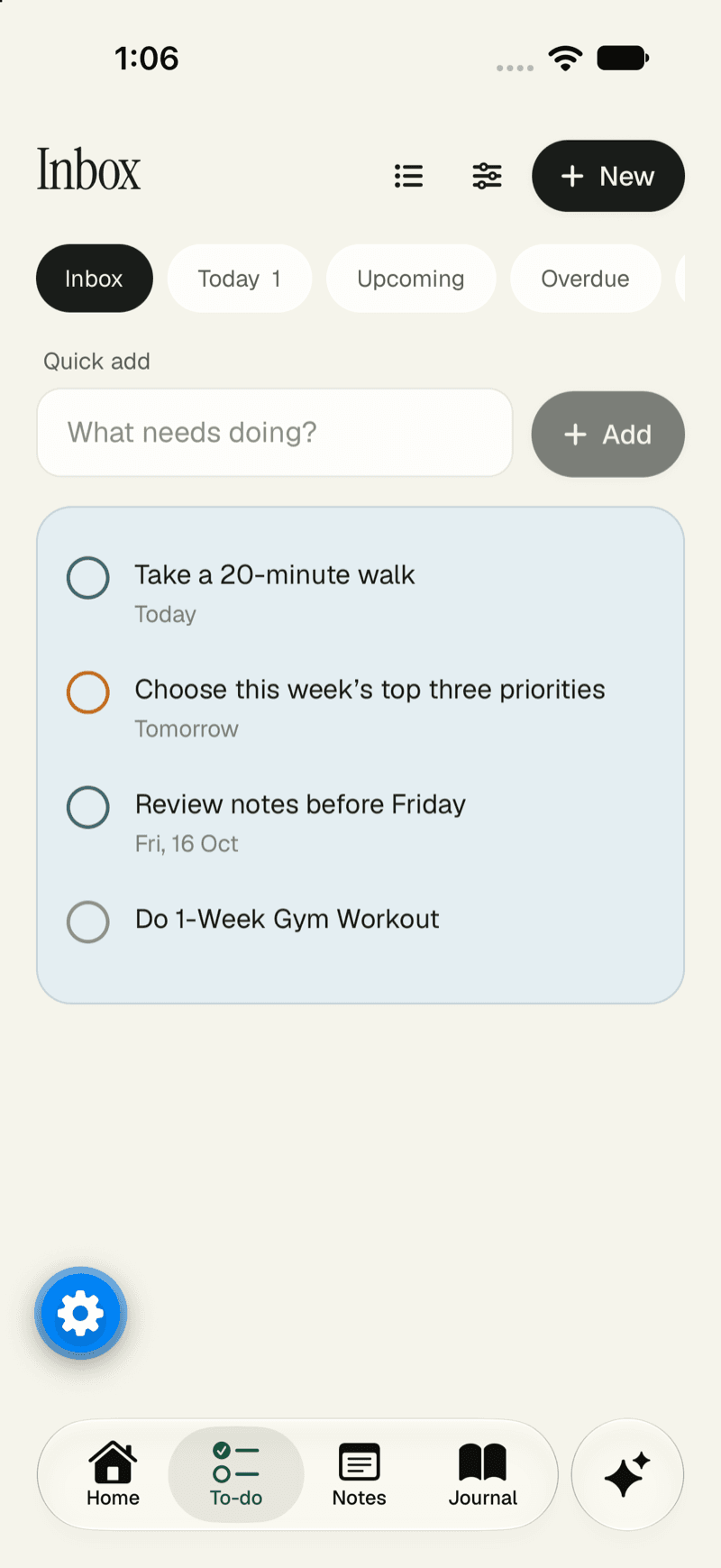
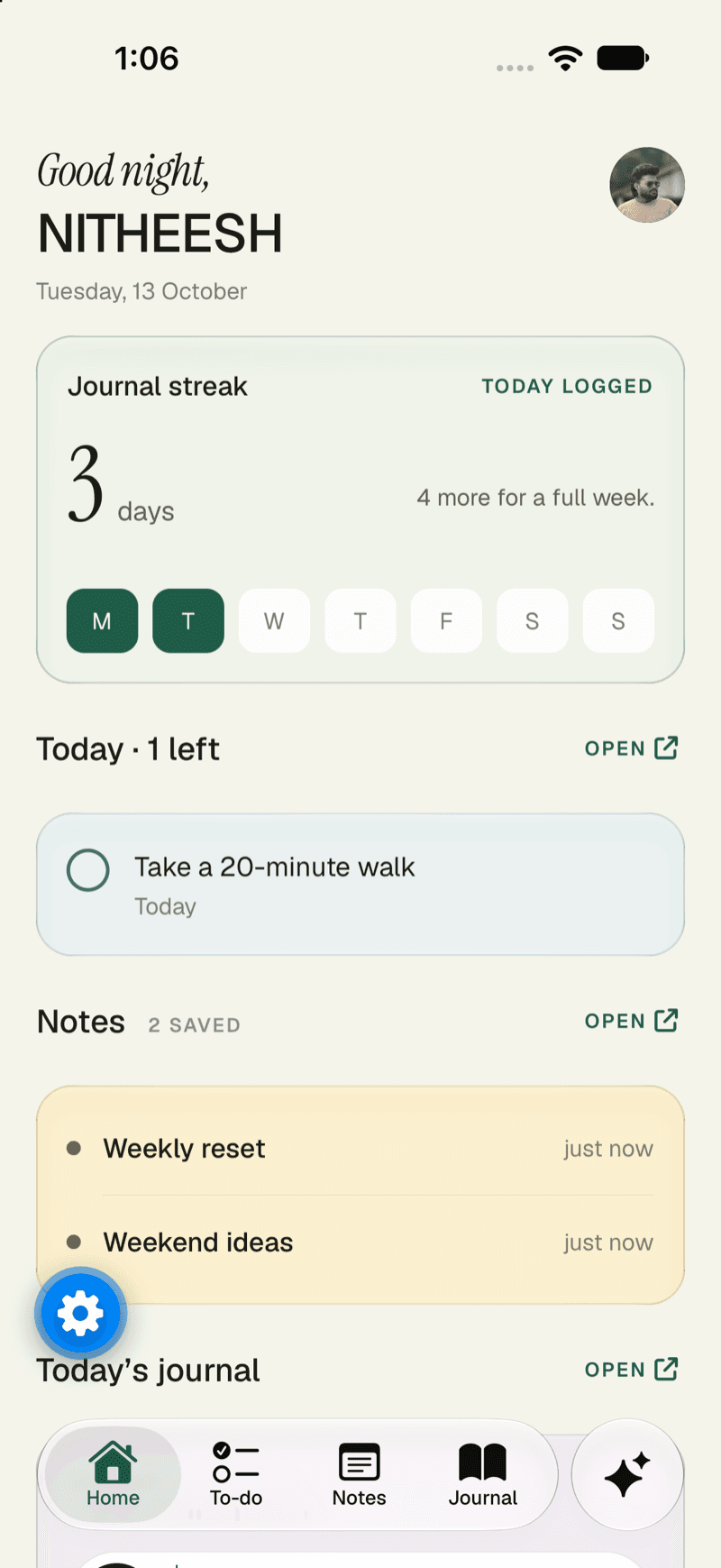
Your day, at a glance.
Open the app and see what matters: your journal streak, what’s left to do today, your latest notes.
- Today’s tasks, ready to tick off
- Your journal streak for the week
- Recent notes one tap away
One workspace · Any AI
Notes, tasks, journal, chat and calendar in one calm place. Use AI when it helps, switch it, or switch it off. Everything you’ve written stays put.
 GmailGmail works with your workspace.
 OutlookOutlook is planned. We’ll mark it live when it ships.
 SlackSlack is planned. We’ll mark it live when it ships.
 Google CalendarGoogle Calendar works with your workspace.
 Google MeetGoogle Meet works with your workspace.
 Microsoft TeamsMicrosoft Teams is planned. We’ll mark it live when it ships.
 ZoomZoom is planned. We’ll mark it live when it ships.
 Google DriveGoogle Drive works with your workspace.Google DocsGoogle Docs works with your workspace.
 Google SheetsGoogle Sheets works with your workspace.
 NotionNotion is planned. We’ll mark it live when it ships.
 GitHubGitHub is planned. We’ll mark it live when it ships.
 LinearLinear is planned. We’ll mark it live when it ships.HubSpotHubSpot is planned. We’ll mark it live when it ships.
 CloudflareCloudflare is planned. We’ll mark it live when it ships.
 EventbriteEventbrite is planned. We’ll mark it live when it ships.
 MapsMaps works with your workspace.
A tour of the app
Write it, plan it, say it out loud or ask for it. It all lands in the same place, on the web and on your phone.
Home
Open the app and see what matters: your journal streak, what’s left to do today, your latest notes.
Chat
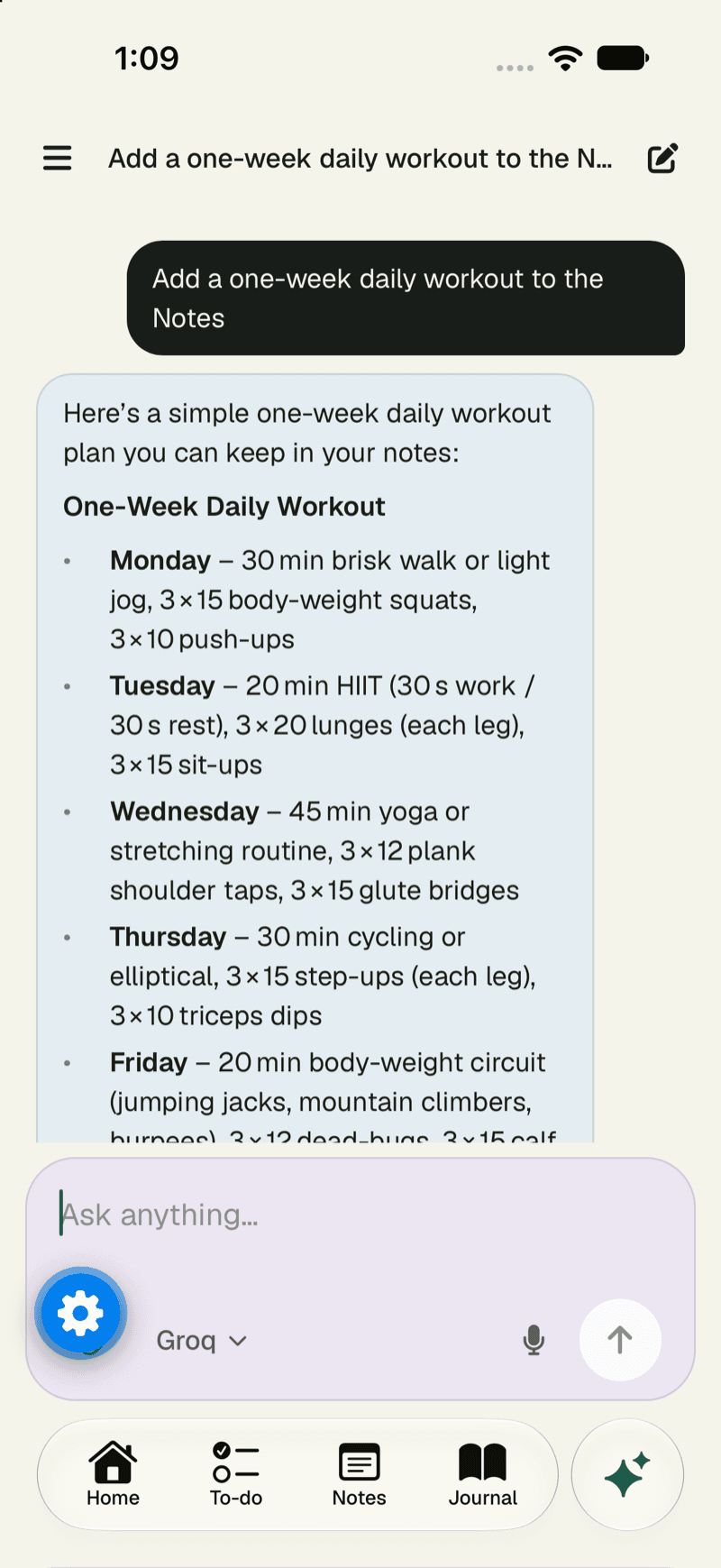
The assistant can draft a note, a journal entry or a to-do. Nothing is saved until you say so.
Plan
Lists, priorities and repeats, in the view that suits the day.
Journal
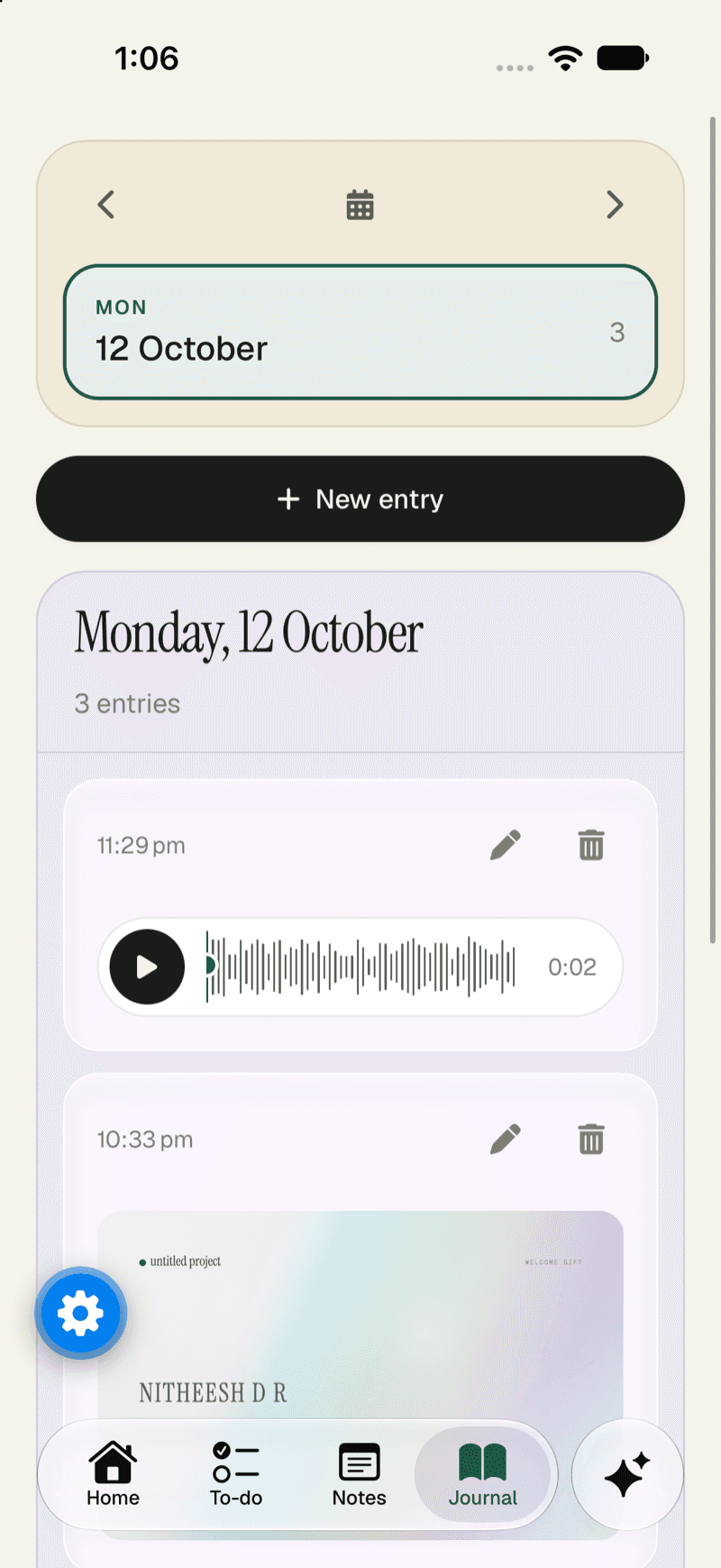
Write as often as you like, by typing or by voice. It stays private to you.
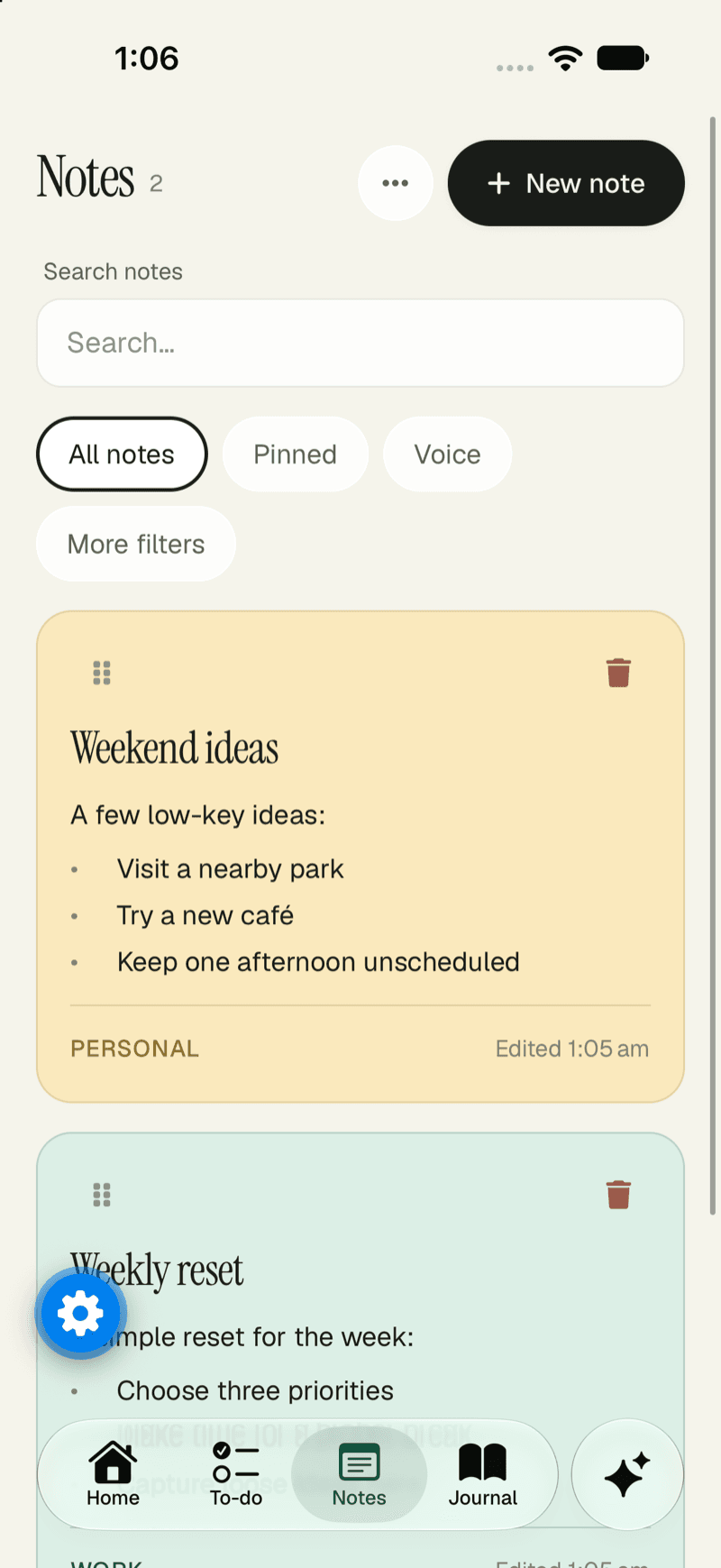
Notes
Colours, slash commands, voice and attachments, all kept in the note.
The workspace
What you can use today, and what is on the way. Swipe to see more.
New in v5.3.0
Top up credit and pay only for the AI you use, pick your own model with your own key, get invoices for every payment, and work out what you’d pay before you choose a plan.
Pay as you go now runs on prepaid credit. Top up in rupees with Razorpay and tokens come off your balance as you use AI; AI pauses at zero until you top up, and you get an email when it does.
Add AI credit from the app’s Plan and billing screen and see your balance, using Razorpay’s own payment sheet.
A new model picker in chat, grouped by provider. Add your own key for OpenAI, Anthropic, Google or OpenRouter, pick the model for each chat, and manage your keys in Settings → API keys. Keys are checked before they are saved and stored encrypted.
Billing history and invoices. Every subscription charge and credit top-up gets a numbered invoice you can open, print or save as a PDF, and a receipt by email.
See your billing history in the app and open any invoice in your browser.
A pricing calculator on the pricing page: say how much you’d use AI and see what each plan would cost.
Integrations
From inbox to issue tracker, and a model that can grow to the rest. Each one says whether it’s live.
GmailFetch & send mailOutlookDraft follow-upsSoonSlackSend recapsSoonGoogle CalendarSync eventsGoogle MeetMeetingsMicrosoft TeamsMeetingsSoonZoomMeetingsSoonGoogle DriveBackup filesGoogle SheetsAnswer from dataNotionImport notesSoonGitHubTrack issuesSoonLinearMove ticketsSoonCloudflareWatch your sitesSoonEventbriteManage eventsSoonMapsLocation workflowsBuilt for the keyboard
Add a task, jump to today, search everything, switch the calendar view. All without reaching for the mouse. Shortcuts work whenever you aren’t typing in a field.
Press ⌘K, Q, W or C to try them.
AI on your terms
Your notes, tasks and journal never depend on one provider. Change the model, bring your own key, or turn it all off.
Top up credit in rupees and tokens come off it. Or subscribe with autopay for a monthly allowance.
Add a key for OpenAI, Anthropic, Google or OpenRouter and pick the model for each chat.
Sign in once and use the ChatGPT plan you already pay for. We’re building it.
Switch AI off completely. The workspace works the same.
A drafted note, journal entry or to-do shows a preview. Nothing is saved until you confirm.
Emails, web pages and transcripts are treated as data, never as instructions for the AI.
Privacy & security
The database itself checks who may see what, so your data doesn’t depend on a screen hiding a button.
Sign in with your fingerprint, face or device, with no password to leak.
Continue with Google (including One Tap), or use a username and password.
Six-digit codes that expire in five minutes, stored hashed, with limited attempts.
Your journal entries belong to you alone, even inside a shared workspace.
Every table has row-level security, so the database itself checks who may see a row.
Export your data, reset your workspace, or delete your account and its files.
Pricing
The workspace is free to use. You only pay if you want Naazhi’s AI, and you choose how. Never pay for AI you don’t use.
One monthly price with an AI allowance included. You approve autopay once (UPI AutoPay or card) and each month is charged on its own.
No monthly fee. Top up credit in rupees and the tokens you use come off it. AI pauses at zero until you top up again.
Add a key for OpenAI, Anthropic, Google or OpenRouter and pay that provider directly. Naazhi doesn’t charge or count it.
FAQ
Quick answers about AI, accounts and your data. Still unsure? Start with the notes and connect the rest later.
No. Use AI when it helps, or keep your workspace fully AI-free. The workspace works the same either way.
Nothing happens to your content. Your notes, tasks, journal and everything you’ve built stay exactly where they are. The workspace is separate from the AI you choose.
Notes, tasks, journal (including shared journals), calendar, chat with AI, universal search, Library, Reader, Health, imports and plans with autopay are live. Email, meetings, automations, the ChatGPT sign-in, the desktop apps and the browser extension are still being built, and the page says so wherever they appear.
No. When the assistant drafts a note, a journal entry or a to-do, you see a preview and confirm before anything is saved.
With a passkey, with Google (including One Tap), or with a username and password. If you forget a password, a six-digit code to your email lets you reset it.
Yes. Journal entries are private to their author, kept apart from the rest of the workspace.
Yes. Start a shared journal and invite people by username or email. Each person can be an editor or a viewer, and they join only after they accept. Your personal journal stays private to you.
Yes. Bring an Obsidian vault in as notes (folders stay folders, and duplicates are skipped), and export your notes as Markdown or your data from Settings. Importing from Notion is planned.
Gmail and Outlook for email, and Google Calendar for events. With Pro you can connect up to 5 email accounts and up to 5 calendars.
That is the direction: Slack, Google Drive, Docs and Sheets, Notion, GitHub, Linear, HubSpot, Zoom, Google Meet and Microsoft Teams, plus Cloudflare, Eventbrite and Maps. Each one is marked live or coming soon on the integrations list.
Three ways, all in rupees. Subscribe with autopay for a monthly AI allowance, top up prepaid credit and pay only for the tokens you use, or add your own API key (OpenAI, Anthropic, Google or OpenRouter) and pay that provider directly. Using your ChatGPT plan is on the way. The pricing page has a calculator to compare them.
Not yet. Naazhi works in any browser on a Mac or a Windows PC, and Mac and Windows apps and a browser extension are marked “Coming soon” on the download page. The Android app is available now; the iPhone app is coming.
Yes. Every screen is built mobile-first, so the calendar opens on the agenda and the workspace works at phone width.
One workspace for personal and work information, on the web and in your pocket. Start with the notes, and connect the rest when you’re ready.